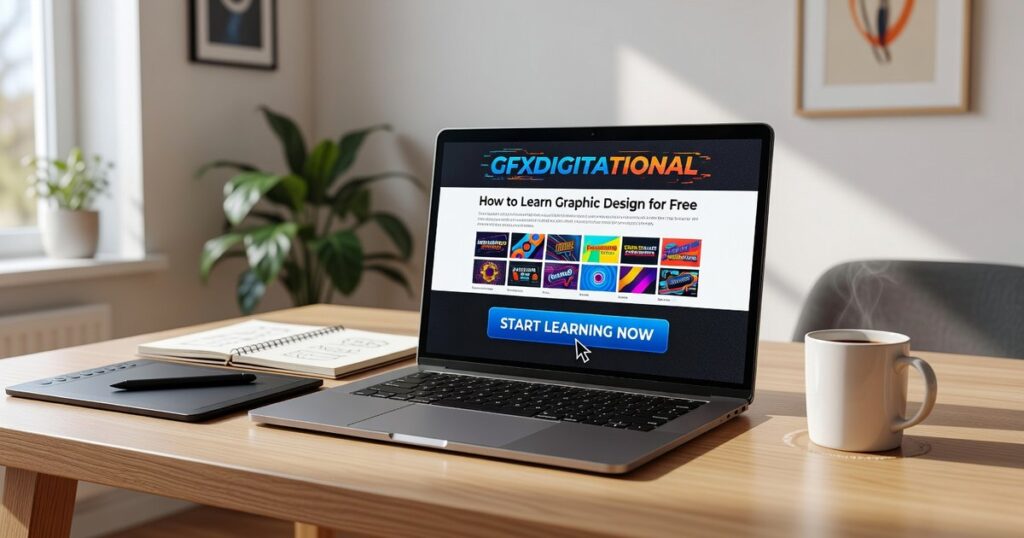
I’m going to show you how to learn graphic design for free gfxdigitational without dropping a cent on software or courses.
You’ve probably heard you need Adobe Creative Cloud and a design degree to make it as a graphic designer. That’s not true anymore.
Here’s the reality: some of the best designers I know started with free tools and YouTube tutorials. They’re now running their own studios and landing clients that pay real money.
This article gives you the complete roadmap. I’ll walk you through the exact free tools you need, where to find quality training that costs nothing, and how to build skills that actually matter in the real world.
I’ve spent years in digital design. I know which skills get you hired and which ones are just nice to have. That’s what this guide focuses on.
You’ll get a step-by-step plan that takes you from complete beginner to someone who can handle professional design work. No fluff. No expensive shortcuts you don’t need.
By the end, you’ll have a clear strategy and a toolkit of powerful free resources that rival anything the paid options offer.
Let’s get started.
Master the Foundation: Timeless Design Principles
Here’s something most people won’t tell you.
You don’t need expensive software to create good design.
I’ve seen designers with Photoshop and Illustrator produce work that looks like a high school project. Then I’ve seen others make stunning visuals with free tools.
The difference? They understand the principles.
When you know why something works, the tool doesn’t matter. You could hand a great designer a crayon and they’d still create something worth looking at.
That’s what I want to talk about today at gfxdigitational. The foundation that makes everything else possible.
Visual hierarchy is where it starts. You’re telling the viewer’s eye where to go first. Size matters here. So does color and where you place things on the page. Get this right and people will read your design the way you intended.
Then there’s color theory. The color wheel isn’t just some art class memory. It’s how you create harmony or tension depending on what you need. Warm colors feel different than cool ones. That’s not opinion, that’s psychology.
Typography trips people up more than anything else. Serif fonts have those little feet on the letters. Sans-serif fonts don’t. Knowing when to use each one separates amateur work from professional. And kerning (the space between letters) can make or break readability.
Layout and composition ties it all together. Grids keep things organized. White space gives your design room to breathe. Balance makes it feel right even if someone can’t explain why.
Here’s my prediction. As AI tools get better at generating images, these principles will matter even more. Anyone can prompt an AI. But knowing how to arrange elements and guide attention? That’s still human territory.
If you want to learn how to learn graphic design for free Gfxdigitational has resources that focus on these foundations first. Because once you get the principles down, everything else clicks into place.
Your Free Digital Design Toolkit: Pro-Level Software Alternatives
You don’t need to drop hundreds of dollars on Adobe subscriptions to create professional work.
I’m serious.
Some designers will tell you that free software is just for beginners. That if you want real results, you need to pay for the premium tools. They’ll say free alternatives are clunky and limited.
But that’s not what I’ve seen.
I’ve watched designers build entire portfolios using free software. They land clients. They get hired. Nobody asks what program they used.
For vector work, I recommend starting with Inkscape. It handles logo design and illustration better than most people expect. The pen tool takes some getting used to (it always does), but once you’re comfortable, you can create scalable graphics that work anywhere. For those venturing into the world of digital art, mastering tools like Inkscape not only enhances your skills but also aligns perfectly with the innovative spirit of Gfxdigitational, where creativity and technology seamlessly intertwine. For those venturing into the world of scalable graphics and seeking inspiration, Gfxdigitational offers a wealth of resources that can elevate your design skills to new heights.
Vectr is cleaner if you want something simpler. It runs in your browser and works well for basic vector projects.
For photo editing, GIMP is your best bet. Yeah, the interface looks dated. But it can do almost everything Photoshop does. I use it for photo manipulation and digital painting all the time.
Photopea is wild because it literally looks like Photoshop and runs in your browser. No download needed.
For UI design and social media, Figma gives you real collaborative features for free. Multiple people can work on the same file. The component system makes building interfaces way faster.
Canva is perfect if you need templates fast. Social posts, presentations, simple graphics. It’s not built for complex design work, but for quick turnarounds it’s hard to beat.
When you’re ready to learn how to design a poster graphic design gfxdigitational, these tools will handle everything you need.
For free assets, grab photos from Unsplash or Pexels. Google Fonts covers typography. Font Awesome has icons.
That’s it. You’re set.
The Curriculum: Where to Find Free, High-Quality Design Education

You don’t need to drop thousands on design school.
I’m serious. The internet has changed everything about how we learn design. But here’s where people get confused.
They think “free education” means low quality. Or they assume you need to pay for certificates to actually learn anything useful. We explore this concept further in Graphic Design Ideas Generator Gfxdigitational.
That’s not how it works.
The best design education is often free. You just need to know where to look and what to ignore.
Let me break this down for you.
YouTube University
Start here. YouTube has become the go-to place for design education, but not all channels are worth your time.
Look for channels that focus on design theory first. These teach you why things work, not just how to click buttons. Then find software-specific tutorials for the tools you actually use (Photoshop, Illustrator, whatever).
Professional designer vlogs are gold too. You get to see how real designers think through problems and manage their workflows.
The trick is finding creators who explain concepts clearly instead of just showing off their work.
Free Online Courses
Platforms like Coursera and edX let you audit courses from top universities. That means you can watch all the lectures and do the assignments without paying a cent.
You won’t get the certificate. But who cares? You’re here to learn, not collect digital badges.
I’ve taken courses from schools I could never afford to attend. The knowledge is identical whether you pay or not.
Blogs and Publications
Smashing Magazine and Creative Bloq publish in-depth tutorials that go way beyond surface-level tips. They cover trends, techniques, and theory.
Reading these regularly keeps you sharp. You start to see patterns in what works and what doesn’t.
Plus, they’re written by working designers who actually know what they’re talking about.
Manufacturer Resources
Here’s something most people miss.
Software companies want you to succeed with their tools. Canva and Figma both run free design schools with extensive tutorial libraries.
These aren’t just “click here, then click there” videos. They teach actual design principles using their platforms.
When you’re figuring out how to learn graphic design for free gfxdigitational resources like these make the whole process less overwhelming. You get structured learning paths instead of random YouTube rabbit holes. As you explore resources to learn graphic design for free, understanding “Where Do Most Graphic Designers Work Gfxdigitational” can provide valuable insights into the industry landscape that will help guide your career path. As you delve into the myriad of resources to learn graphic design for free, it’s crucial to also consider practical insights like “Where Do Most Graphic Designers Work Gfxdigitational,” which can guide your career aspirations in this dynamic field.
The education is out there. You just have to be willing to put in the time.
From Theory to Portfolio: How to Practice Your Skills
Reading about design theory is one thing.
Actually building something people can see? That’s where most beginners freeze up.
I remember spending my first two months just watching tutorials and taking notes. I felt like I was learning. But when I opened a blank canvas, I had no idea where to start.
Here’s what changed everything for me.
Start with the Copywork Method
This sounds boring at first. You’re basically recreating designs that already exist.
Pick a landing page you love. Maybe it’s from Stripe or Airbnb. Then rebuild it pixel by pixel in Figma or whatever tool you’re using.
I spent about three weeks doing this back when I started. The first few took me hours because I kept getting the spacing wrong. But by the fifth one, something clicked. I started seeing patterns in how professional designers handle white space and typography.
You’re not stealing. You’re building muscle memory.
Try Design Challenges
After a month of copywork, I needed something different. That’s when I found Daily UI and Sharpen.design.
These sites give you fictional prompts. Design a checkout page. Create a music player interface. Build a settings screen.
The prompts are random enough that you can’t just copy what you did before. You have to think through each problem fresh.
I did one challenge every weekday for about six weeks. Some turned out terrible (my early attempts at iconography were rough). But a few actually looked decent enough to save.
Build Your Own Passion Project
This is where you stop following instructions and start making real decisions.
Pick something you care about. I chose to rebrand a fictional bookstore because I actually like books and knew what would appeal to me as a customer.
You might design an app for tracking houseplants or create a visual identity for a made-up coffee roaster. Doesn’t matter what it is as long as you’re invested in making it good.
This takes longer. My bookstore project took almost two months because I kept refining the logo and color palette. But when you’re done, you have something complete to show people. Not just a single screen or a logo by itself.
Do Pro-Bono Work for Real Organizations
Here’s something nobody tells you about learning how to learn graphic design for free gfxdigitational.
Theory only gets you so far. Real clients (even if they’re not paying) will ask for things you never considered.
I reached out to a local animal shelter after about four months of practice. They needed a flyer for an adoption event. Simple stuff, but they had opinions about colors and wanted specific photos included.
That constraint? It taught me more than any tutorial.
You can find nonprofits or small community groups near Where Do Most Graphic Designers Work Gfxdigitational or just in your own area. Most of them need help with social media graphics or event materials. If you’re eager to make a meaningful impact while honing your skills, consider volunteering with local nonprofits, where you can apply your creativity by learning how to design a poster graphic design gfxdigitational that meets their specific needs for social media and event promotion.How to Design a Poster Graphic Design Gfxdigitational If you’re passionate about graphic design and want to support local causes, volunteering with nonprofits can provide invaluable experience, especially when you learn how to design a poster graphic design Gfxdigitational that effectively communicates their message.How to Design a Poster Graphic Design Gfxdigitational
The work isn’t glamorous. But you’ll learn how to take feedback and work within limitations. Plus you get a real portfolio piece with an actual organization’s name attached.
Start with copywork this week. Then move to challenges next month. By month three, you should have enough confidence to tackle a passion project or reach out to a nonprofit.
Your Design Career Starts Now
You now have a complete plan to learn graphic design without spending a dime.
Money was the thing holding you back. That barrier is gone.
Here’s why this works: You’re focusing on principles that don’t change. You’re using free tools that professionals actually use. And you’re practicing with intention instead of just watching tutorials.
Traditionally trained designers don’t have some secret advantage anymore. The tools are the same. The resources are out there. What matters is how you use them.
I’ve seen people transform their skills in months by following this approach. They didn’t wait for the perfect moment or the perfect course.
You came here to figure out how to learn graphic design for free gfxdigitational. Now you know the path.
Stop thinking about it.
Pick one tool from the list right now. Find a beginner tutorial on YouTube. Then create something today. It doesn’t have to be good (it probably won’t be). But you need to start.
Your first design is the hardest one. After that, it gets easier.
The skills you build will open doors you didn’t know existed. But only if you actually start.
 Zelphia Ollvain has opinions about digital tech news. Informed ones, backed by real experience — but opinions nonetheless, and they doesn't try to disguise them as neutral observation. They thinks a lot of what gets written about Digital Tech News, Practical Tech Tutorials, Graphic Design Innovations is either too cautious to be useful or too confident to be credible, and they's work tends to sit deliberately in the space between those two failure modes.
Reading Zelphia's pieces, you get the sense of someone who has thought about this stuff seriously and arrived at actual conclusions — not just collected a range of perspectives and declined to pick one. That can be uncomfortable when they lands on something you disagree with. It's also why the writing is worth engaging with. Zelphia isn't interested in telling people what they want to hear. They is interested in telling them what they actually thinks, with enough reasoning behind it that you can push back if you want to. That kind of intellectual honesty is rarer than it should be.
What Zelphia is best at is the moment when a familiar topic reveals something unexpected — when the conventional wisdom turns out to be slightly off, or when a small shift in framing changes everything. They finds those moments consistently, which is why they's work tends to generate real discussion rather than just passive agreement.
Zelphia Ollvain has opinions about digital tech news. Informed ones, backed by real experience — but opinions nonetheless, and they doesn't try to disguise them as neutral observation. They thinks a lot of what gets written about Digital Tech News, Practical Tech Tutorials, Graphic Design Innovations is either too cautious to be useful or too confident to be credible, and they's work tends to sit deliberately in the space between those two failure modes.
Reading Zelphia's pieces, you get the sense of someone who has thought about this stuff seriously and arrived at actual conclusions — not just collected a range of perspectives and declined to pick one. That can be uncomfortable when they lands on something you disagree with. It's also why the writing is worth engaging with. Zelphia isn't interested in telling people what they want to hear. They is interested in telling them what they actually thinks, with enough reasoning behind it that you can push back if you want to. That kind of intellectual honesty is rarer than it should be.
What Zelphia is best at is the moment when a familiar topic reveals something unexpected — when the conventional wisdom turns out to be slightly off, or when a small shift in framing changes everything. They finds those moments consistently, which is why they's work tends to generate real discussion rather than just passive agreement.